Manage Your Ships with OceanLook’s MY VESSEL Feature!
Hello from The Eyes of the World’s Oceans, OceanLook!
Did you catch last week’s OceanLook User Guide Series?
Starting today, we’ll take a deeper look into each feature—one by one.
And the first feature we’re diving into is... “MY VESSEL”.
With this feature, you can easily search for ships of interest and organze them into your personal watchlist for streamlined monitoring.
Effortlessly Manage Your Ships – MY VESSEL Feature!
1. Search for a Vessel
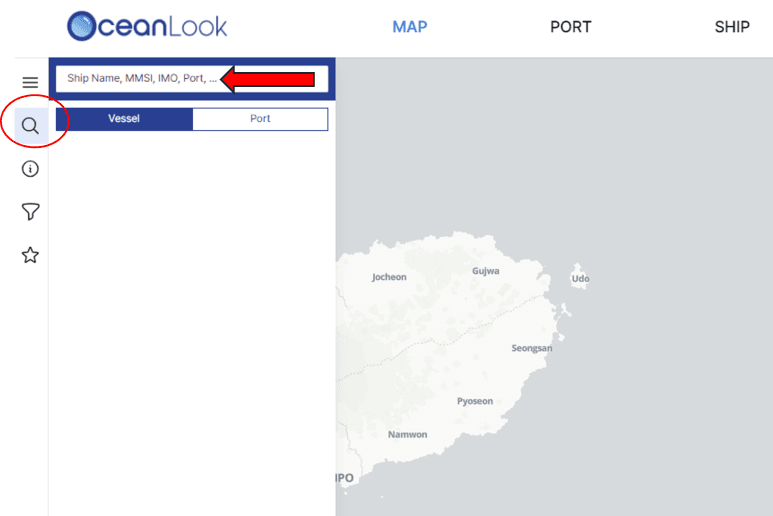
Click the magnifying glass icon on the OceanLook Map.
Enter either the vessel name, MMSI, or IMO number in the search bar to locate a specific ship.
Click on the result to instantly view its basic information.
2. View Vessel Info & Add to “MY VESSEL”
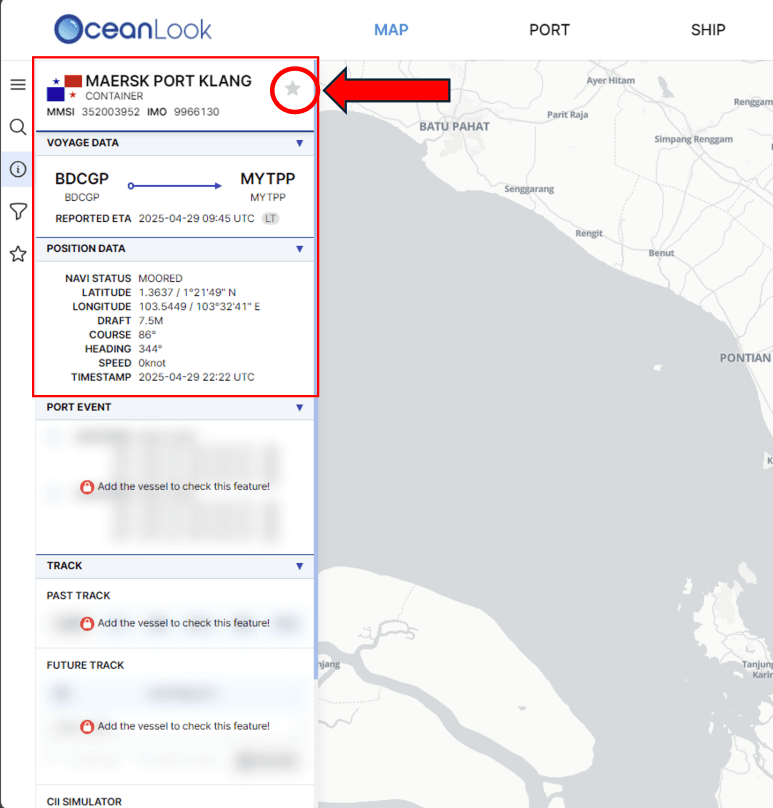
In the search view, you can see basic Voyage Data and Position Data.
Want to access Port Events, Past/Future Track, and the CII Simulator?
Just click the ☆ star icon next to the vessel name to add it to your MY VESSEL list.
Once registered, additional data becomes available instantly!
3. Access Your Vessel List
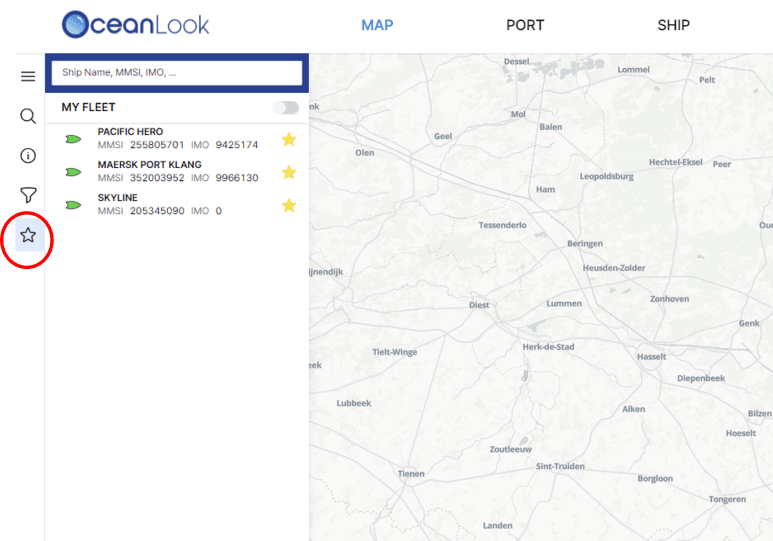
Wondering where to find your saved vessels?
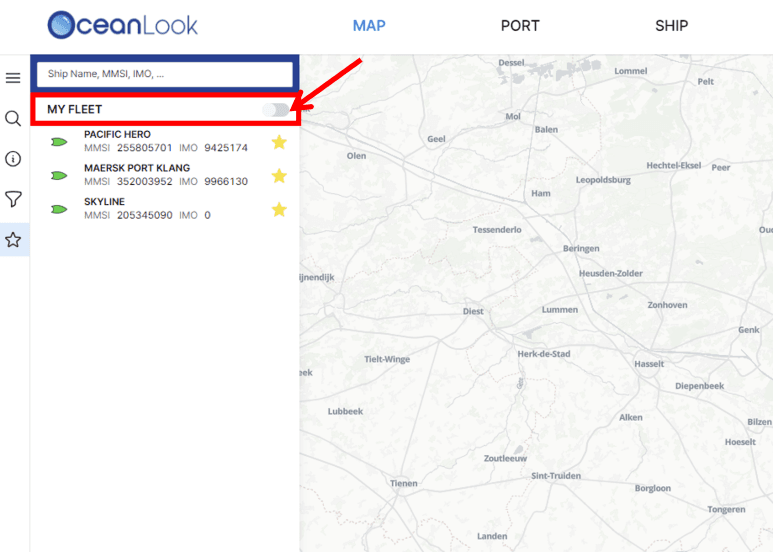
Click the ☆ star icon in the left-hand menu bar.
You’ll see a full list of all the vessels you’ve added—at a glance.
4. Organize with the New Fleet Feature!
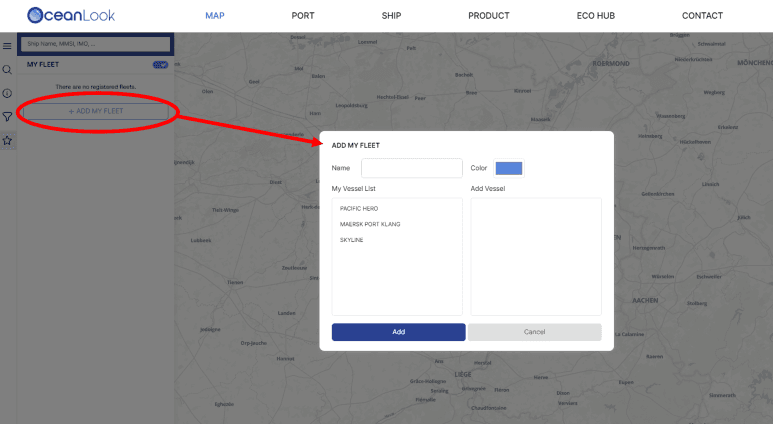
Don’t miss the newly added MY FLEET function!
Click "ADD MY FLEET" to create a fleet with a custom name and color,
making it easier to group and visually distinguish multiple vessels.
Managing vessels by fleet gives you a clearer view of operations at scale.
5. Now Featuring Local Time Display
Previously, ETA and other times were shown in UTC, which could be confusing.
Now, with local time display by port, you can interpret scheduling and predictive data much more intuitively.

MY VESSEL is one of OceanLook’s core features—
a powerful tool that lets you track your favorite ships in real time and access detailed insights, all in one place.
This week, why not try registering your own vessels in OceanLook?
We’ll continue to share in-depth feature guides and helpful tips, so stay tuned!
Start managing your ships on the ocean—smarter and easier—with OceanLook.
Until next time,
The OceanLook Team