Oceanlook Map & Geofence: Capturing Both Vessel Position and Movement in Real Time
AIS
Hello! We are Oceanlook — the eyes on the world’s oceans.
🌍 Introducing Oceanlook's Map & Geofence Features
Stay one step ahead with geofencing — an essential tool for monitoring and responding to dynamic maritime movements at a glance.
🔎 Instantly Identify Vessel Types – Oceanlook Map Feature
“The ocean is vast and filled with vessels, but Oceanlook simplifies the complexity.”
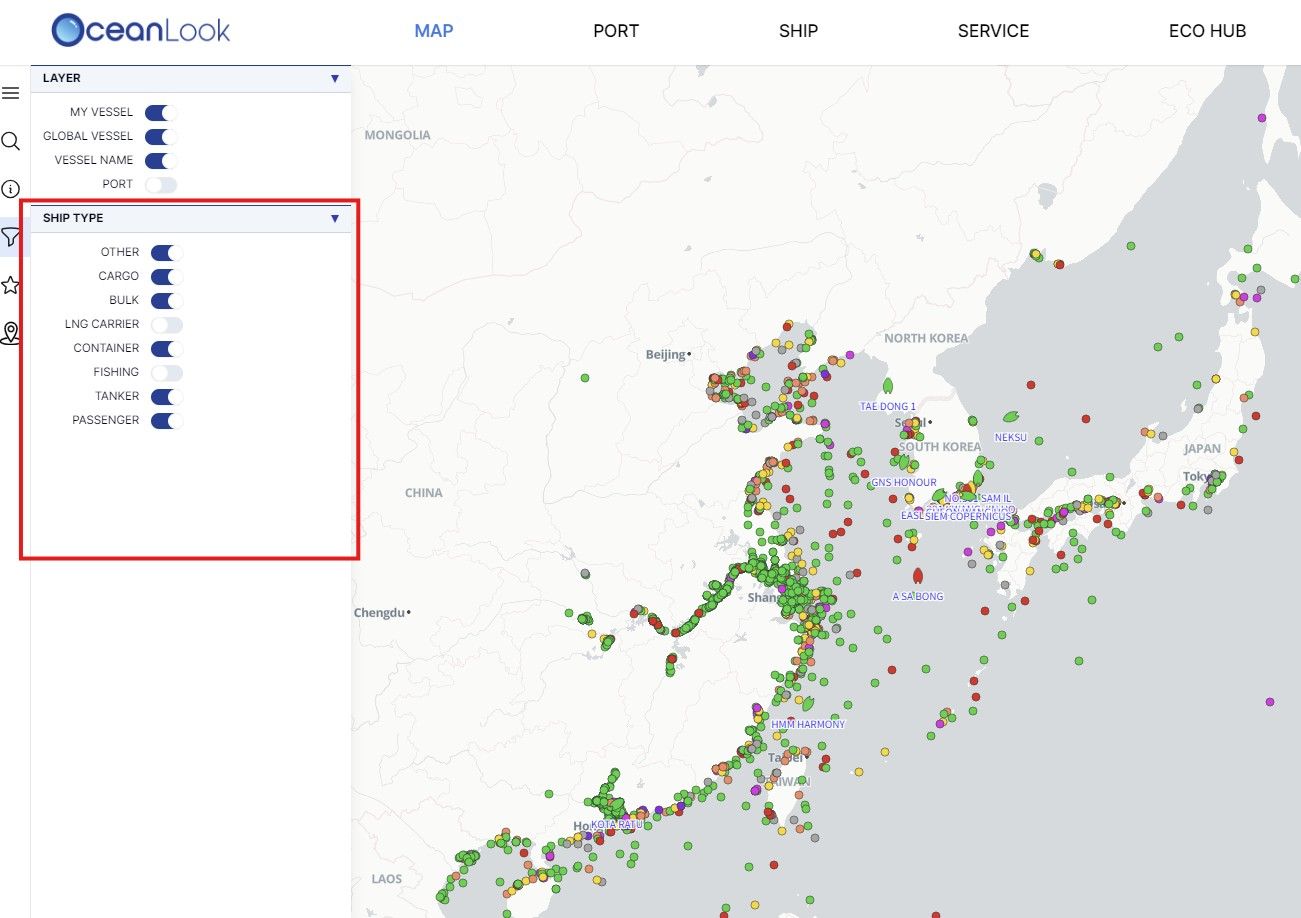
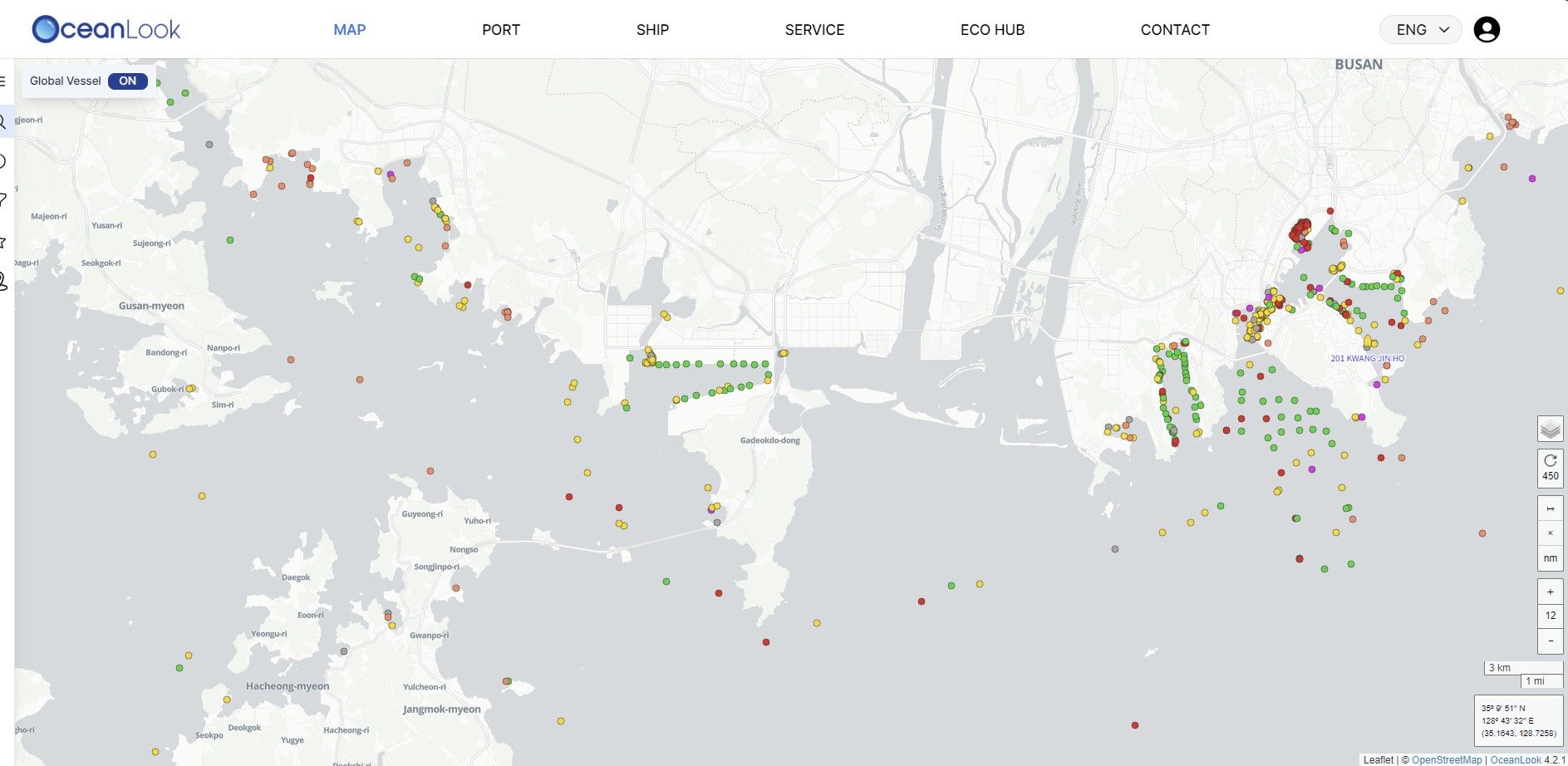
Our Map feature goes beyond simple vessel tracking by providing visualized data categorized by vessel type.
- Container ships, bulk carriers, tankers, cargo vessels, and more — each type is clearly distinguished with color-coded markers.
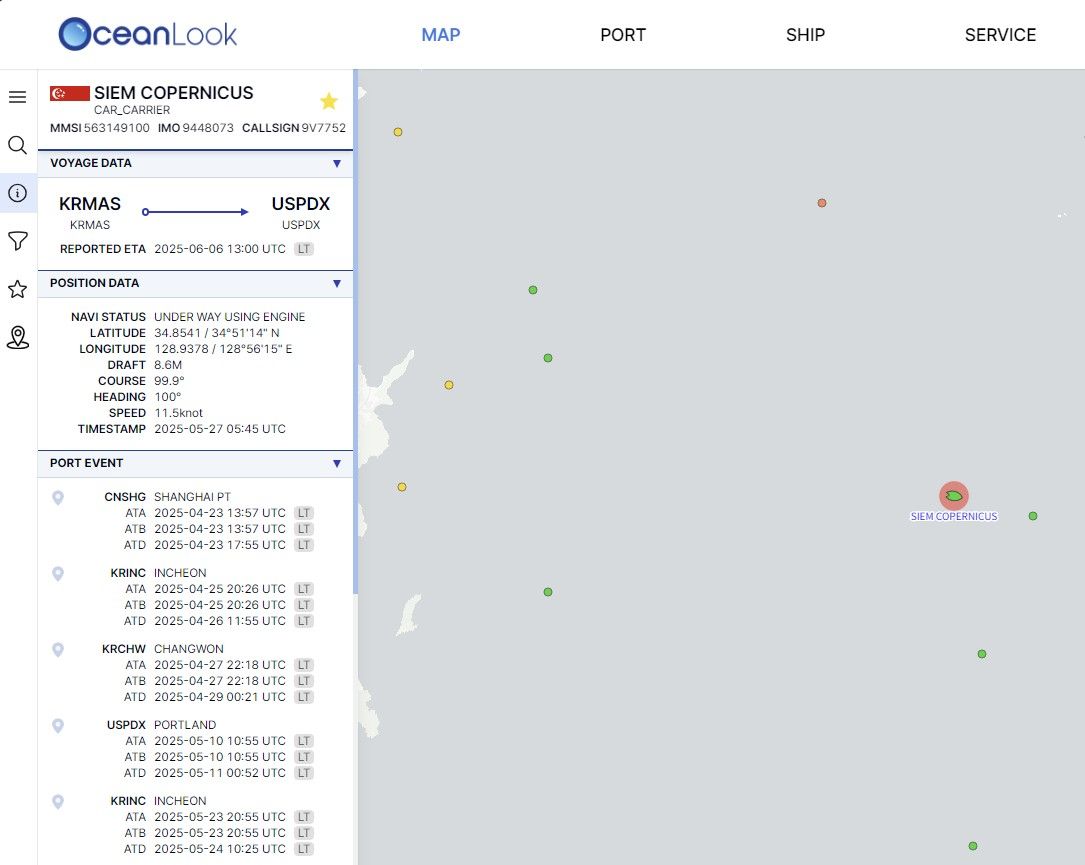
- With just one click, you can view a vessel’s real-time location, heading, speed, and status
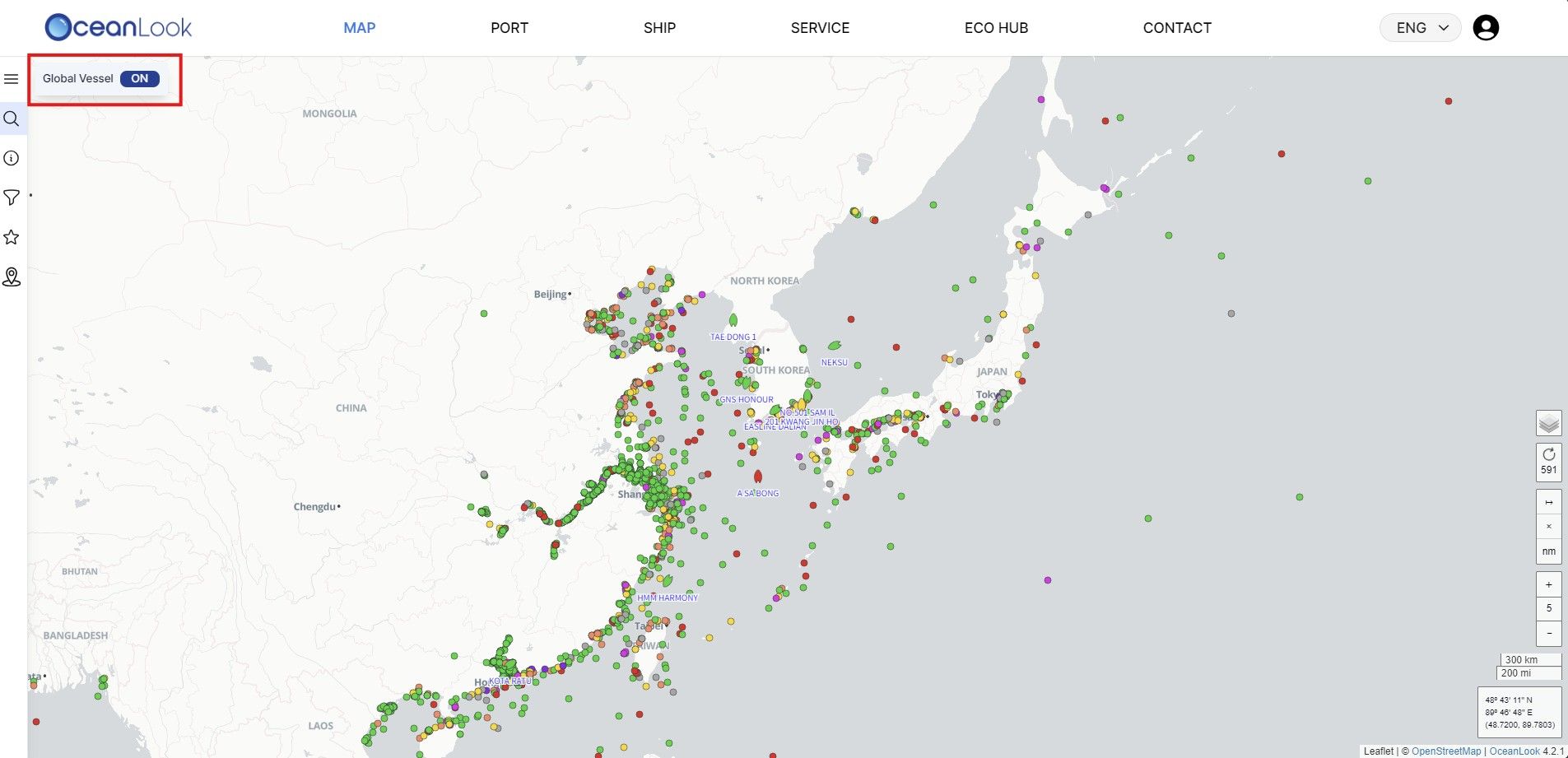
- Zoom in and out across the world’s oceans — from localized logistics situations to global shipping movements, Oceanlook gives you the full picture.
▶️ Who Can Benefit from Oceanlook?
- Export/Import & Logistics Companies: Monitor the current location and estimated time of arrival (ETA) of vessels carrying your cargo.
- Port Operators: Identify incoming vessels in advance and allocate manpower and equipment efficiently.
- Maritime Analysts: Analyze shipping patterns by vessel type and track trends in maritime cargo volume.
🛑 Define Maritime Zones with Precision – Oceanlook Geofence Feature
📍 “Mark the areas you want to monitor at sea.” – Oceanlook Geofence
With Oceanlook’s Geofence feature, you can manually set custom maritime zones directly on the map. Monitor vessels visually as they enter or exit the designated areas.
- Set zones using latitude/longitude coordinates or draw custom shapes such as rectangles, circles, or polygons right on the map.
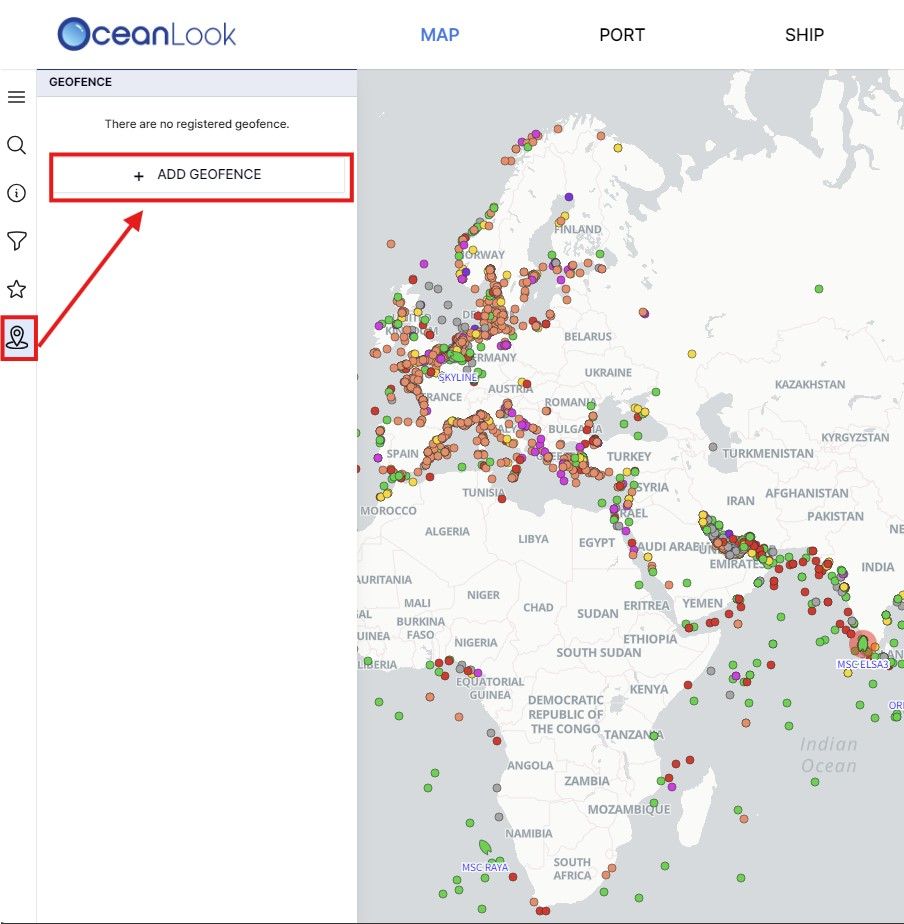
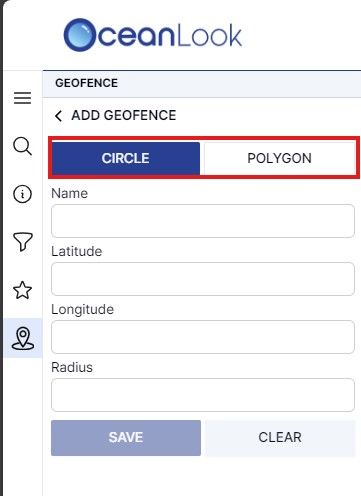
- View a real-time list of vessels currently within your designated geofence area.

🧭 These Features Are Especially Useful For:
- Port Area Monitoring: Automatically classify vessels waiting to enter port and plan operations accordingly.
- High-Risk Zone Tracking: Designate specific areas to monitor vessel movements in regions prone to piracy or under special control.
- Customer Vessel Monitoring: Easily track when your client’s vessels arrive at designated ports using a map-based interface.
🌊 In Closing
Oceanlook’s Map and Geofence features go far beyond simple vessel location tracking —
they are strategic tools for real-time maritime logistics planning and risk management.
Experience the movement of the seas with Oceanlook today.
What once felt complex in maritime logistics can now be managed with clarity and ease.