Plan Smarter Routes with OceanLook’s Distance Measure Feature
Hello from OceanLook – the Eyes on the World’s Oceans!
Did you enjoy last week’s introduction to the MY VESSEL feature?
This week, we’re excited to introduce another powerful tool in OceanLook: the Distance Measure feature.
With this tool, you can easily measure the distance from port to port or from vessel to port, helping you create more efficient and accurate route plans for your logistics operations.
Plan Your Routes More Efficiently – Mastering the Distance Measure Feature
1. Measure Distance from Port to Port
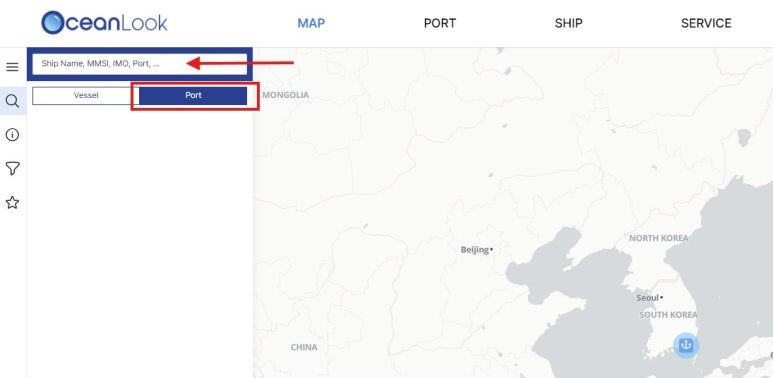
To begin, let’s measure the distance between two ports.
Click the magnifying glass icon on the OceanLook Map, then select Port.
From the Port tab, you can search for any port worldwide.
2. Set Destination to View Key Voyage Data
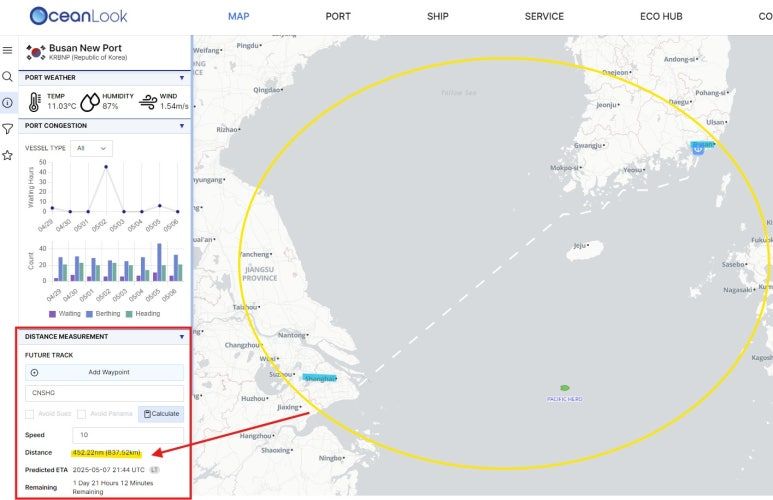
After selecting a port, go to the Distance Measurement tab.
Search for your destination port, then click “Calculate.”
You’ll be able to view not just the distance, but also the predicted ETA and remaining travel time.
3. Measure Distance from Vessel to Port
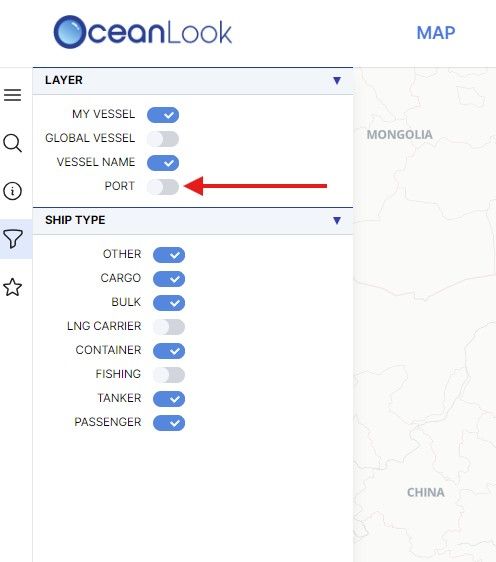
Next, let’s measure the distance between a specific vessel and a port.
To clearly view ports on the map, click the funnel icon and toggle PORT to ON.
4. Draw a Line from Your Vessel to the Port
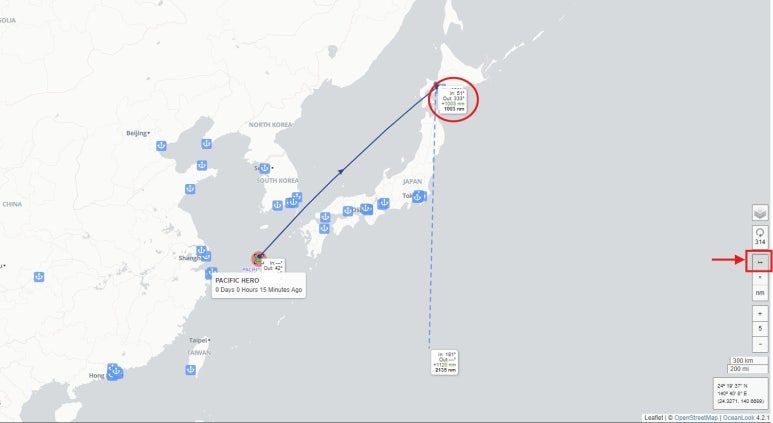
Using the vessel you saved via the MY VESSEL feature last week, you can now measure the distance to your target port.
On the far right side of the screen, click the small arrow button.
Then, draw a line from your selected vessel to the destination port.
The distance (in nautical miles) will be instantly displayed on the card.
5. View Distance in NM or KM – Your Choice
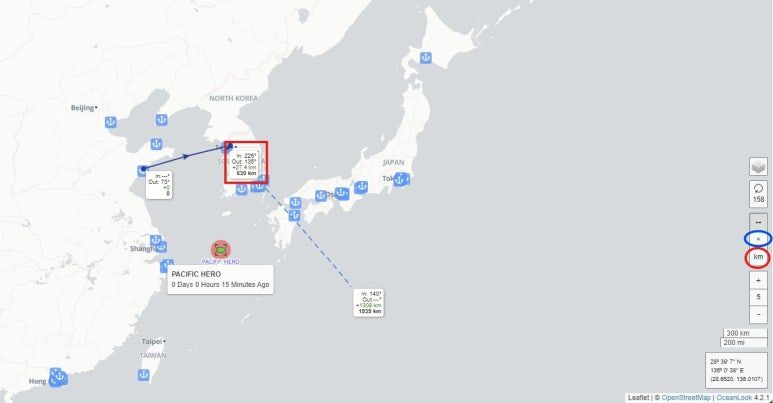
By default, distances are shown in NM (nautical miles).
But if you prefer kilometers, you can switch units easily.
Just click the “KM” button on the right side of the screen.
Your selected unit will instantly apply to the distance display.
To end the measurement, simply click the “X” button just above the KM toggle.
The Distance Measure feature is one of OceanLook’s most practical tools.
It enables intuitive measurement between ports, or between ships and ports—making it ideal for voyage planning, ETA forecasting, and logistics path optimization.
You can quickly determine how far a vessel is from a specific port and how much time is left until docking—boosting operational efficiency.
This week, try using OceanLook’s Distance Measure feature to calculate port-to-port or ship-to-port distances in real time.
Stay tuned—we’ll continue to deliver detailed guides and tips for each OceanLook feature every week.
Take control of your ocean logistics—smarter and faster—with OceanLook.
Until next time,
The OceanLook Team