OceanLook “Distance Measurement” Latest Update
OceanLook Distance Measurement Feature Major Upgrade 🚢
Smart Distance Calculation by Point · Vessel · Port
OceanLook, an essential tool for marine logistics and voyage planning, has completely overhauled its Distance Measurement feature.
Previously, users could only click points on the map to measure straight-line distances. Now, it has evolved into a professional-grade analysis tool.
1️⃣ Key New Highlights
| Category | Before | Now |
| ---------------------- | ------------------------------------| ------------------------------------------------------------------------------------------------------------------- |
| **Start Method** | Random click on the map | One-click launch via dedicated **Distance Measurement** icon |
| **Measurement Target** | Single Point | Three options: **Point · Vessel · Port** |
| **Input Method** | Manually specify location with mouse | **Point**: Enter latitude & longitude**Vessel**: Search real-time AIS position**Port**: Search by port name |
| **Results** | Simple distance (km) | Automatic calculation of **ETD · Distance · Speed · Sailing Time · ETA** |
| **Speed Adjustment** | Not available | Set and adjust sailing speed directly |
In short, what used to be a simple point-and-click distance check has been upgraded to a full-scale vessel voyage simulation tool.
2️⃣ Detailed Feature Overview

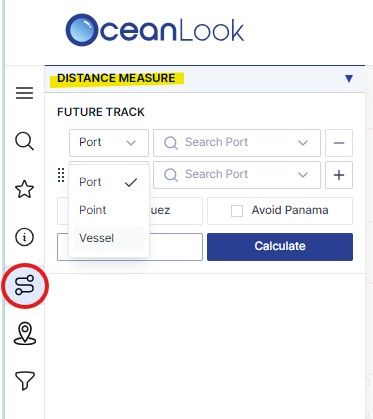
✅ Dedicated Distance Measurement Icon
A new Measure Distance icon is added to the left toolbar,
allowing you to start distance measurement instantly with just one click.
✅ Three Measurement Scenarios
1. Point
Enter precise latitude and longitude coordinates.
Example: Calculate the distance from a point in the North Pacific to the North American west coast.
2. Vessel
Search a vessel name to automatically import its real-time AIS position.
Example: Measure the route distance from a specific vessel’s current location to Busan Port.
3. Port
Search global ports to set both departure and arrival points.
Example: Analyze the estimated route and sailing time from Busan Port to Rotterdam.
✅ Comprehensive Results
After measurement, a clear voyage planning summary is displayed, including:
- ETD (Estimated Time of Departure) – Planned departure time
- Distance – Total route distance
- Speed – Chosen sailing speed
- Sailing Time – Estimated sailing duration
- ETA (Estimated Time of Arrival) – Expected arrival time
Adjusting the speed instantly recalculates all values, enabling real-time voyage simulation.
3️⃣ Practical Use Cases
| Field | Application | Expected Benefit |
| -------------------------------------- | --------------------------------------------------------------------------------------- | ------------------------------------------------- |
| **Marine Logistics & Voyage Planning** | Calculate distance and estimated arrival time based on each vessel’s real-time position | Accurate voyage planning and fuel cost savings |
| **Port Operations** | Compute port-to-port distance to build precise berthing plans | Minimize port congestion and reduce waiting times |
| **Research & Report Preparation** | Utilize point-to-port or port-to-port distance data for specific sea areas | Provide highly reliable analytical data |
4️⃣ How to Use: Just 3 Steps!
1. Open the OceanLook Map
2. Click the Measure Distance icon on the left toolbar
3. Choose Point / Vessel / Port
4. Enter latitude & longitude, search a vessel name, or search a port name
5. Then check and save speed & route:
6. Adjust the sailing speed to instantly calculate estimated sailing time and arrival time
7. Analyze the results or apply them directly to on-site operations
5️⃣ Even More Powerful When Combined with Other OceanLook Features
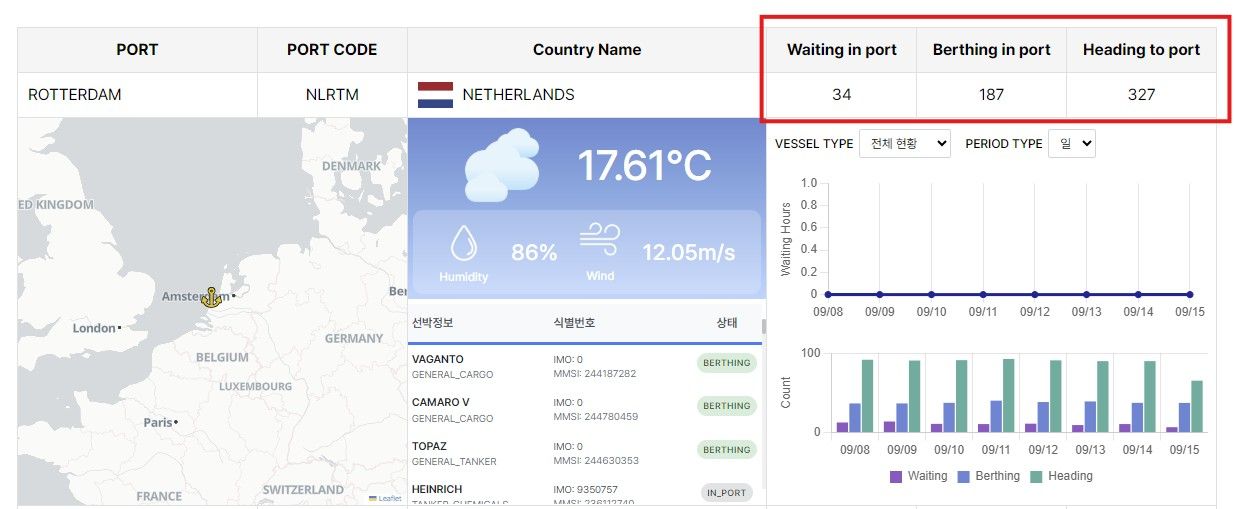
- Real-time AIS + Weather Data
- View live vessel positions and port weather conditions alongside distance calculations.
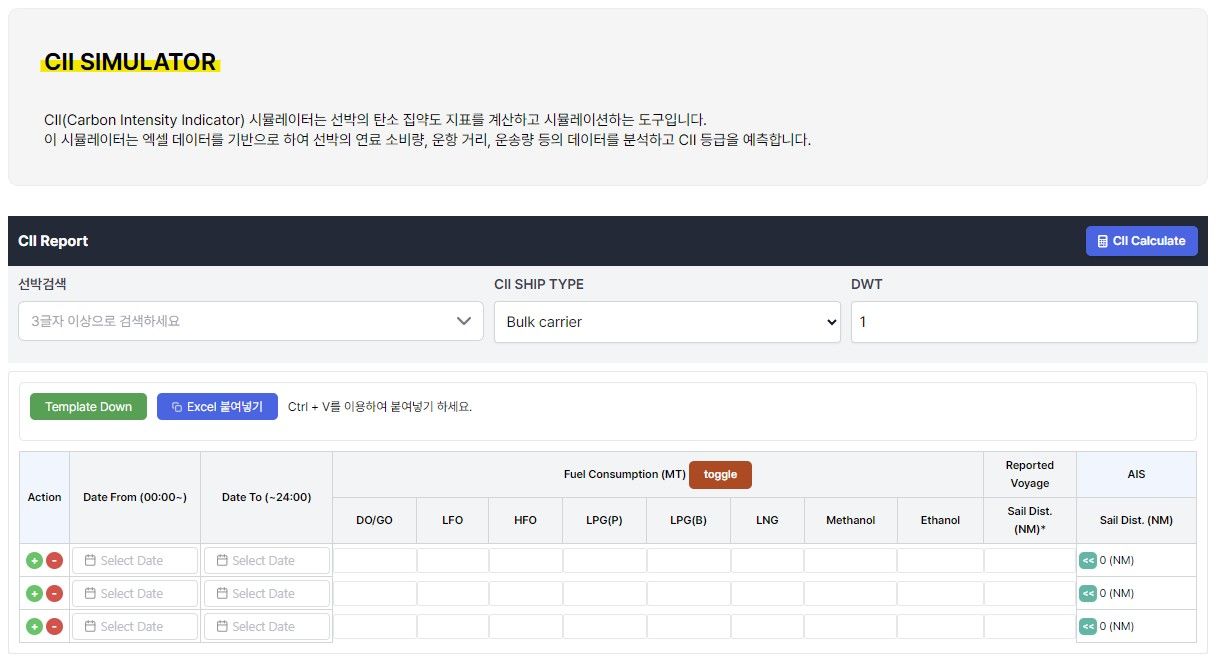
- CII Simulator (coming soon)
- Estimate carbon emissions based on distance and sailing speed.
- Port Congestion Analytics
- Select the most efficient route by factoring in real-time port congestion levels.
Conclusion
OceanLook’s new Distance Measurement feature has evolved from simple point-to-point checks into a professional analysis tool for real voyage planning.
Experience the smart distance measurement now—
with Point · Vessel · Port three-step measurement and automatic ETD–ETA calculations—
and plan your voyages with precision on OceanLook.